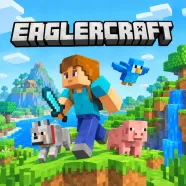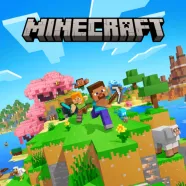





Minecraft is a sandbox survival game where players mine resources, craft tools, explore vast worlds and build anything their imagination can create.
Minecraft turns a world of simple blocks into an open-ended adventure where creativity has no limits. Mountains, forests, deep caves, and mysterious structures create a huge environment waiting to be explored. Every block can become part of something bigger, whether you want to build a small shelter or design an entire city.
FROM YOUR FIRST SHELTER TO MASSIVE BUILDS
The fun in Minecraft comes from deciding what to do next. Survival players usually begin by collecting wood, gathering stone, and making basic tools. Food and shelter become important as night approaches, since hostile mobs can appear and attack without warning.
Crafting opens up more possibilities as players collect new materials. Wooden tools can lead to stronger equipment, while furnaces help process useful resources. Diamonds and other rare materials encourage deeper exploration, especially in caves where valuable discoveries often come with greater risks.
The world itself offers plenty of reasons to keep moving. Different biomes introduce new landscapes and resources, while caves and generated structures hide surprises beneath the surface. Zombies, skeletons, spiders, and creepers add danger to these journeys, so good equipment and well-planned defenses can make a big difference.
Two modes to try
The game offers two main ways to enjoy this blocky universe. Survival mode puts resource gathering and danger at the center of the experience, while Creative mode gives players complete freedom to experiment with different designs. Online features also let players save their progress and create custom maps, making each adventure feel personal.
Controls and Basic Actions
- W, A, S, D: Move your character.
- Spacebar: Jump.
- Left Mouse Button: Break blocks or attack enemies.
- Right Mouse Button: Place blocks or use selected items.
- Mouse Wheel: Switch between inventory items.
- E: Open the inventory.
- 1-9: Select items from the hotbar.
- T: Open the chat interface.
What Will You Create in Minecraft?
Every adventure starts with a few blocks and an open world. Some players enjoy surviving dangerous nights and searching for rare materials, while others spend hours turning empty landscapes into impressive builds. Custom maps and saved progress offer even more ways to explore new ideas.